
Epnex Mail Assistant
Epnex Mail Assistant
No sales enquiry waits, gets lost or goes without follow-up.
It catches every sales enquiry that reaches Gmail, Outlook or your web form within minutes. It researches the sender's company, scores it A/B/C and leaves a reply draft grounded in your knowledge base inside the same thread. It never emails customers on its own; you review and send.
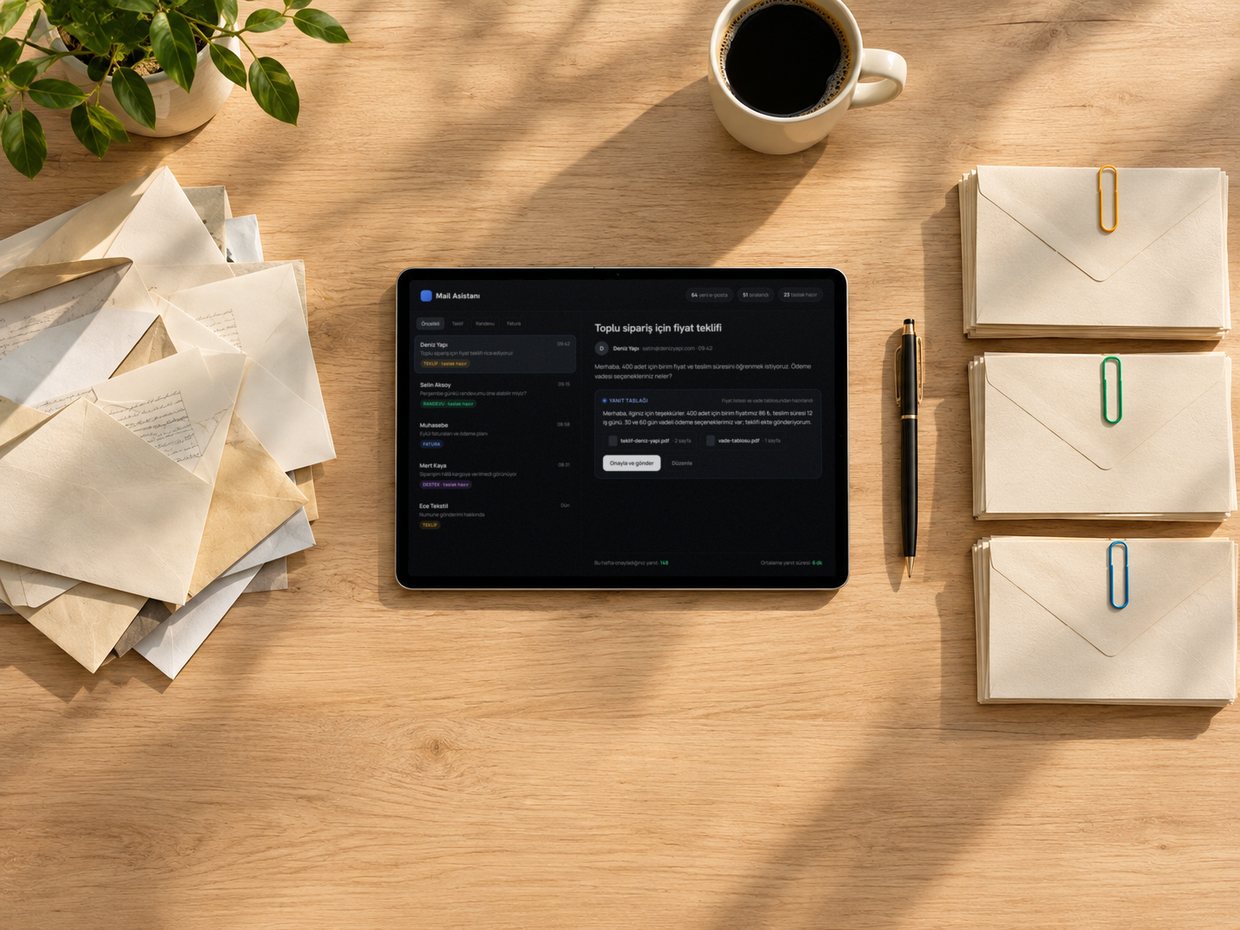
Every enquiry finds its place, none is forgotten
5 min
Enquiry check interval
A/B/C
A score and reason for each enquiry
Day 2
First follow-up draft if no reply
0
Customer emails sent on its own
Timings and scope depend on the setup; the exact scope is set after the free analysis.
What does it do?
What does it do?
Not a mail plug-in: a pipeline that shortens your sales team's first response time and leaves no enquiry without follow-up.
It catches the enquiry
It checks your Gmail or Outlook inbox and your web form every 5 minutes. It even finds sales enquiries that landed in spam and moves them to the inbox.
It filters out the sales enquiries
It separates invoices, newsletters, job applications and internal mail from sales enquiries. Other mail sits in its own tab with its category.
It researches and scores the company
From the sender's company website it extracts sector, business and size; it gives an A/B/C score and a one-line reason based on your ideal customer.
It drafts the reply
It leaves a personal reply grounded in your knowledge base as a draft in the same thread. For quote requests it pulls out product, quantity, deadline and missing details; it never invents prices or lead times.
It follows up and reports
If there is no answer to your reply, it drafts follow-ups on day 2 and day 5. With a calendar connected it proposes meeting slots; every Monday at 08:30 it sends the manager a weekly summary.
It leaves control with you
It never emails customers on its own. Every reply is a draft; you send it from Gmail or from the panel after seeing the recipients and the text.
A sales pipeline in four steps.
A sales pipeline in four steps.
You connect your inbox once; the system meets every enquiry the same way. The decision to send always stays with you.
Setup and knowledge base
We connect your Gmail or Outlook inbox. We extract your services, frequent questions, pricing policy and ideal customer from your website and refine them with you.
An enquiry arrives, ready in minutes
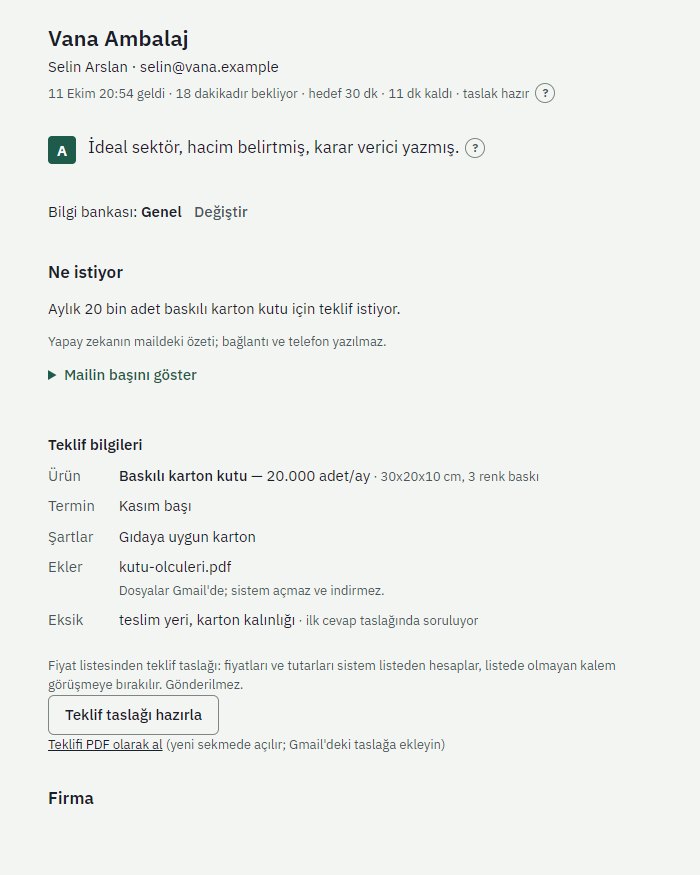
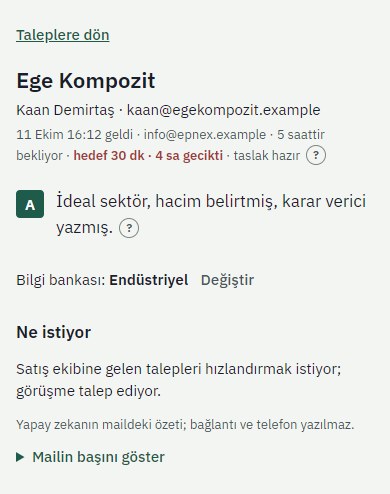
The panel shows the company profile, score and reason, a summary of the request and the quote details. A waiting timer brings the longest-waiting and most important to the top.
The draft is waiting
The reply draft is ready in the same thread. You can rewrite it as "shorter", "more formal" or "in English"; with a calendar connected, three free slots and a booking link are added.
You decide what gets sent
You send the draft from Gmail or from the panel after seeing all recipients and the full text. The moment your reply goes out, the timer stops and follow-ups are scheduled.
Screens from the panel
arrow_downwardThe panel works on phones too. Screens were captured with demo data; company and person names are examples, and the interface is in Turkish.
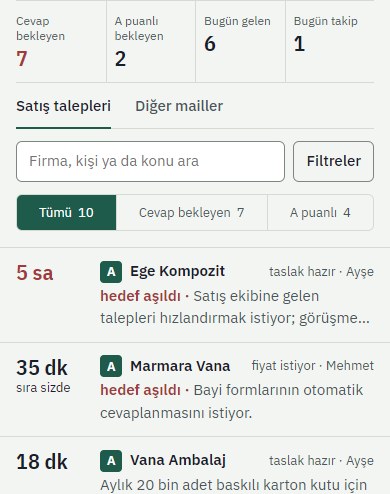
Waiting timer, score and today's summary
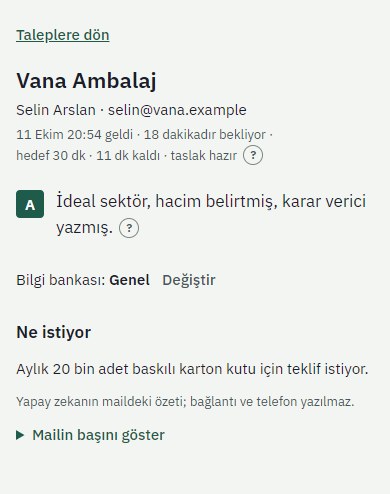
Score reason and request summary
Items, quantities, delivery and gaps
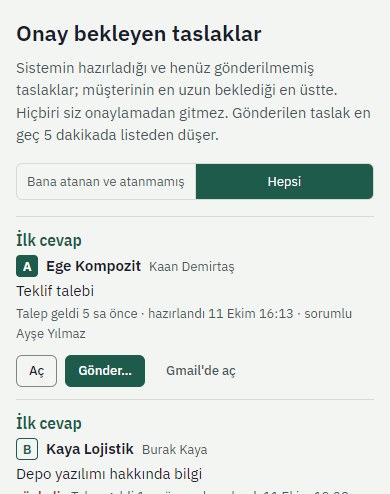
Drafts waiting to be sent
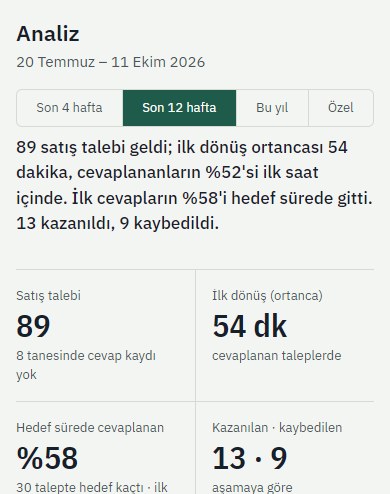
First response time and before / after
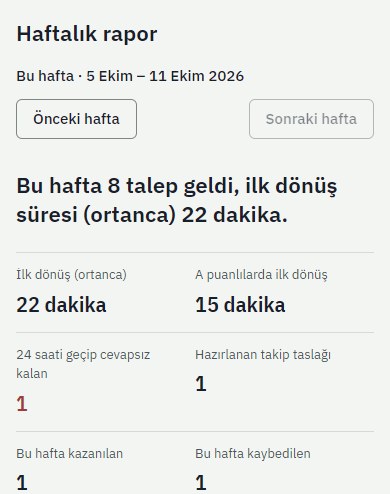
The summary managers get every Monday
Who is it for?
Who is it for?
B2B companies receiving more than 30 quote and information requests a month, with a sales team of 2–10 people.
Manufacturers
Contract, packaging, machinery. In quote requests, product, quantity and deadline arrive ready in the draft.
Wholesalers and distributors
Dealership and price list questions are answered from the knowledge base; no enquiry is forgotten in the queue.
Logistics and industrial services
A fast first response wins the job; when the target time is exceeded, the owner and the manager are alerted.
Sales teams
Enquiries are assigned in turn or by hand; who has been waiting how long is visible on one screen.
Questions
Questions
Straight answers to the questions we are asked most about control, data and setup.
Request a Free Analysis arrow_forwardNo. Everything that goes to a customer is a draft. You send it from Gmail or from the panel after seeing all recipients and the full text. The only things sent automatically are internal reports and alerts to managers.
Yes. Microsoft 365 and outlook.com are supported; Outlook categories are used instead of labels and meetings are scheduled with Outlook Calendar.
No. Prices, stock, dates or lead times that are not in the knowledge base never appear in a draft; instead it says "let's clarify this in a call". You write your pricing policy into the knowledge base.
Full emails are not stored; a short summary and the first lines are kept, and the thread is read from your inbox each time it is opened. Only the company website is researched, never the person. There is two-factor authentication, a security log and a one-click emergency stop.
Enquiries are recorded in Google Sheets and can be pushed to HubSpot, Pipedrive or Zoho CRM.
Our other solutions
See allarrow_forwardEpnex Creative Studio
AI-powered UGC video production, without filming, actors or editing costs.
Explorearrow_forward search_insightsEpnex SEO & GEO
Visibility in Google and AI answers: audit, measurement, approved changes and monthly tracking.
Explorearrow_forward monitoringData, Reporting and Decision Dashboard
Brings sales, cost and operations data together in one panel.
Explorearrow_forward